Everything you need to start: sign in, add your runs, see your stats, and share your profile with other speedrunners. We tried to keep it simple.Всё, что нужно для старта: войти, добавить раны, посмотреть статистику и поделиться профилем с другими спидраннерами. Мы постарались написать просто.
Sign In with Discord
Вход через Discord
Runners.cx uses your Discord account to log in. There are no passwords to remember — Discord handles login for us, so we never see or store your password.Для входа в Runners.cx используется ваш аккаунт Discord. Не нужно придумывать пароли — Discord проверяет вас сам, а мы не видим и не храним ваш пароль.
Safe Login
Безопасный вход
Login goes through Discord directly. We only get your Discord ID, name and avatar — nothing else.
Авторизация идёт через сам Discord. От него мы получаем только ID, имя и аватар — больше ничего.
Profile Created Automatically
Профиль создаётся сам
The first time you sign in, your account is created with your Discord nickname and avatar. You can change them later in Settings.
При первом входе аккаунт создаётся автоматически с ником и аватаркой из Discord. Позже их можно поменять в Настройках.
💡 Click "Sign in with Discord" in the top-right corner of any page to start.💡 Нажмите «Sign in with Discord» в правом верхнем углу любой страницы, чтобы начать.
Upload Splits & Profile Setup
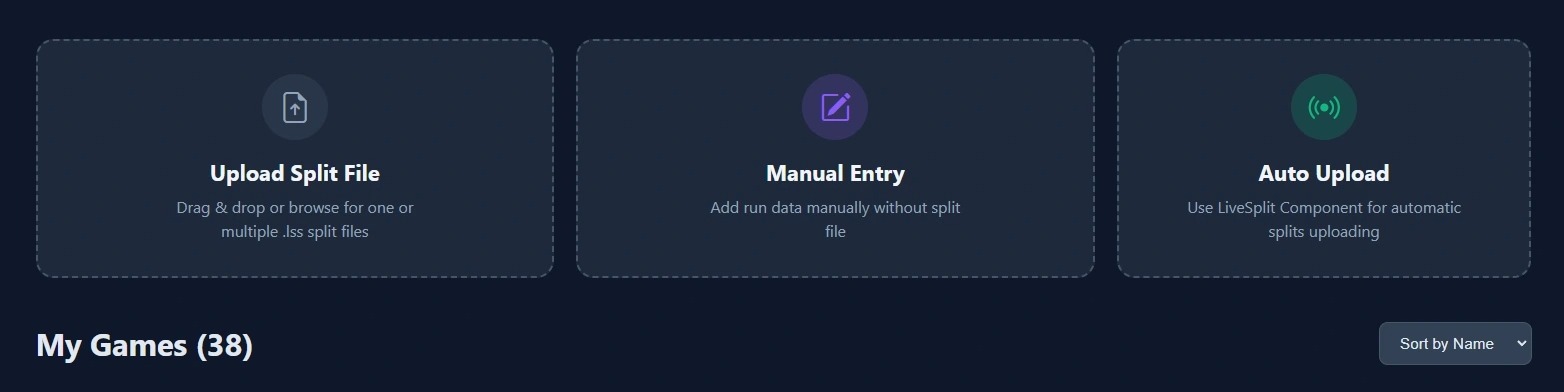
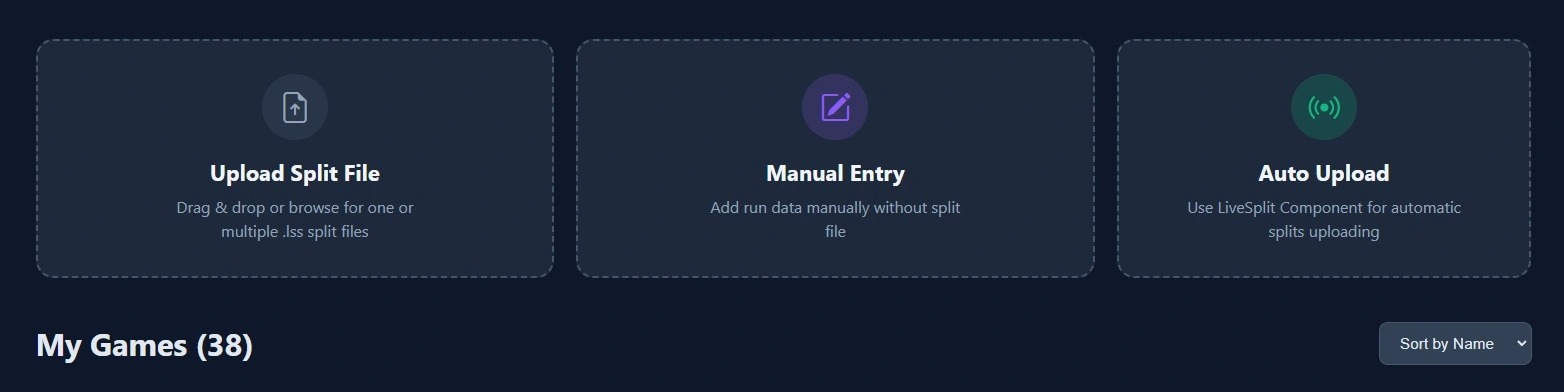
After logging in, you will be taken to your dashboard. You can add your run data using the following methods.
Upload Files: Manually upload LiveSplit (.lss) files (individually or in bulk) or use the LiveSplit component for automatic synchronization. Manual Entry: If no file is available (e.g., when using an in-game timer), you can create a record manually by entering the data yourself.
While uploading, you can assign runs to a group, set profile visibility, or automatically generate a comprehensive statistics page. Additionally, the "Overwrite Data" service option allows you to simply supplement or update existing run information.
Next, set up your public runner profile where your stats and runs will be displayed. Go to Settings (click your avatar in the top-right) and fill in the profile fields.
Note that Twitch and Oengus fields are optional. However, filling in your Speedrun.com username is highly recommended for accurate rank display (especially for runs that are retimed before submission).
Check "Make my profile public" to create your public page accessible at /your-slug. Optionally enable "Show all runs and stats" to make all data visible, or manage visibility per-run in the dashboard. You can mix settings - for example, show a run but hide its split statistics.
In profile settings, you can reorder run groups by dragging them and saving changes. You can also manage Overall Runner Statistics cards (Total Time, Attempts, Most Played, etc.) and Public Profile Stats cards (Tracked, Finished, In Progress, Verified, etc.) — choose which ones to show or hide on your dashboard and public profile.
Now let's explore the dashboard and game cards. Below is an example where all runs are public with visible statistics.
1.Select run group (Active, Finished, Abandoned, etc.).
2.Gear icon: Manually add the exact Speedrun.com leaderboard URL (including all subcategories, versions, difficulty).
3."On profile" checkbox: Show/hide this run on your public page (or use "Show all on profile" at group level).
4.Get a public link to split statistics.
5.Make split stats private (removes button #4, keeps run on profile but hides details).
6.Delete the game and its statistics.
For comparison, this is a game where split statistics are private, but the game is still listed on the runner's profile.
Game name and category are parsed from splits. Rank is calculated based on category but can be manually refined via the gear icon.
Загрузка сплитов и настройка профиля
После авторизации вы попадете в панель управления. Добавить данные о забегах можно несколькими способами.
Загрузка файлов: Загрузите файлы LiveSplit (.lss) вручную (по одному или группой) или воспользуйтесь авто-синхронизацией через компонент LiveSplit. Ручной ввод: Если файла нет (например, использовался внутриигровой таймер), создайте запись вручную, указав все данные самостоятельно.
При добавлении рана вы можете выбрать группу, настроить видимость в профиле или включить автоматическую генерацию страницы с полной статистикой. Также доступна опция «Перезапись данных», которая позволяет дополнить или обновить уже существующую информацию.
Затем настройте публичный профиль, где будет отображаться ваша статистика и раны. Перейдите в Настройки (нажмите на аватар справа вверху) и заполните поля профиля.
Поля Twitch и Oengus опциональны. Однако рекомендуется указать никнейм Speedrun.com для корректного отображения мест (особенно полезно для игр с ретаймом перед публикацией).
Установите "Make my profile public" чтобы создать публичную страницу по адресу /ваш-слаг. Опционально включите "Show all runs and stats" чтобы сделать все данные видимыми, или управляйте видимостью для каждого рана отдельно. Можно комбинировать: например, показать ран, но скрыть статистику сплитов.
В настройках профиля можно изменить порядок групп, перетащив их и сохранив изменения. Также можно управлять плашками Overall Runner Statistics (Общее время, Попытки, Самые играемые и др.) и Public Profile Stats (Отслеживаемые, Завершённые, В процессе, Верифицированные и др.) — выбирайте, какие из них показывать или скрывать на дашборде и публичном профиле.
Теперь изучим дашборд и игровые карточки. Ниже пример, где все раны публичные с видимой статистикой.
1.Выбор группы рана (Активные, Завершенные, Заброшенные и т.д.).
2.Шестеренка: добавить точную ссылку на лидерборд Speedrun.com (со всеми сабкатегориями, версией, сложностью).
3.Галочка "On profile": показать/скрыть ран на публичной странице (или используйте "Show all on profile" для всей группы).
4.Получить публичную ссылку на статистику сплитов.
5.Сделать статистику приватной (убирает кнопку 4, оставляет ран на странице, но скрывает детали).
6.Удалить игру и её статистику.
Для сравнения, так выглядит игра с приватной статистикой, но которая все еще отображается в профиле раннера.
Название игры и категория берутся из сплитов. Место рассчитывается по категории, но может быть уточнено через шестеренку.
Auto-Sync via the LiveSplit Component Recommended
Авто-синхронизация (компонент LiveSplit) Рекомендуется
"Set it once and forget about it." The component is a small add-on for LiveSplit that sends your splits to Runners.cx automatically — you keep running, your stats stay up to date.«Поставил и забыл». Компонент — это маленькое дополнение для LiveSplit, которое само отправляет ваши сплиты в Runners.cx — вы продолжаете бегать, а статистика обновляется сама.
Sends data right away
Отправляет данные сразу
When you reset a run or finish a PB in LiveSplit, the component sends an update right away. No buttons to press.
Когда вы ресетите ран или завершаете PB в LiveSplit, компонент сразу отправляет обновление. Никаких кнопок жать не надо.
Lightweight
Лёгкий
Instead of uploading the whole splits file each time, the component only sends what's new — split times, attempt history and segment stats for the current session. Easy on your network.
Вместо того чтобы каждый раз заливать весь файл, компонент отправляет только новое — времена сплитов, историю попыток и статистику сегментов текущей сессии. Не нагружает сеть.
💡 You can download the component and find install instructions in Settings (avatar → Settings).💡 Скачать компонент и найти инструкцию по установке можно в Settings (аватар → Settings).
The LiveSplit component is updated regularly. The current version is 1.0.10. Below is the full changelog — newest first.Компонент LiveSplit регулярно обновляется. Актуальная версия — 1.0.10. Ниже — полный список изменений, начиная с самой свежей.
PB time is now stored at full precision on the server, no matter what display format LiveSplit uses (.cc, .t, .mmm).
Время PB теперь сохраняется на сервере с полной точностью, независимо от того, в каком формате его показывает LiveSplit (.cc, .t, .mmm).
Fixes false "new PB" notifications when you only changed the display precision.
Исправлены ложные уведомления «новый PB», возникавшие при простой смене точности отображения.
v1.0.9
Auto-detection now correctly reads the LiveSplit Timer accuracy as text (".2", ".23", ".234").
Автоопределение точности теперь корректно читает настройку таймера LiveSplit как текст (".2", ".23", ".234").
Fixes 1.0.8, which silently fell back to "hundredths" because of a wrong type assumption.
Исправляет 1.0.8, где из-за неправильного типа всегда применялись «сотые».
v1.0.8
Auto precision detection actually finds the LiveSplit Timer setting now (1.0.7 was silently defaulting to hundredths).
Автоопределение точности наконец действительно находит настройку таймера LiveSplit (в 1.0.7 молча применялись «сотые»).
Reads the global Layout Settings → Timer → Timer Format first, then falls back to per-component.
Сначала читается глобальная Layout Settings → Timer → Timer Format, затем — настройки конкретного компонента.
Verbose detection log written to lss_auto_upload.log for diagnostics.
В lss_auto_upload.log теперь подробный лог детекции — удобно для диагностики.
v1.0.7
The component now sends a timePrecision hint to the website so times render with the same accuracy you see in LiveSplit.
Компонент отправляет на сайт подсказку timePrecision — времена показываются с той же точностью, что и в LiveSplit.
Public pages on runners.cx render times as .mmm / .cc / .t / s based on your component setting (Auto = LiveSplit Timer).
Публичные страницы runners.cx показывают времена как .mmm / .cc / .t / s — в зависимости от настройки компонента (Auto = таймер LiveSplit).
v1.0.6
Time precision now matches LiveSplit Timer Accuracy (Auto by default).
Точность времени теперь соответствует настройке Timer Accuracy в LiveSplit (по умолчанию Auto).
New "Time precision" dropdown in component settings: Auto / Seconds / Tenths / Hundredths / Milliseconds.
В настройках компонента появился выпадающий список «Time precision»: Auto / Seconds / Tenths / Hundredths / Milliseconds.
Auto mode reads the Timer accuracy from the active LiveSplit layout.
Режим Auto читает точность таймера из активного layout LiveSplit.
Decimal width is now fixed for explicit precisions, exactly like LiveSplit displays it.
При явно выбранной точности ширина дробной части фиксирована — ровно как в LiveSplit.
Numeric payload fields keep full precision regardless of how the time is displayed.
Числовые поля в payload сохраняют полную точность вне зависимости от того, как время показывается.
v1.0.5
Times are now sent with up to centisecond precision; whole-second runs no longer get a fake ".00" tail.
Времена отправляются с точностью до сотых; у целочисленных по секундам ранов больше нет искусственного «.00».
Tenths-only times (e.g. 23:07.5) are sent without a trailing zero.
Времена только до десятых (например, 23:07.5) отправляются без лишнего нуля.
Sub-centisecond data is truncated, matching the website's display precision.
Знаки точнее сотых обрезаются — это соответствует точности отображения на сайте.
v1.0.4
Duplicate segment names now get (1) / (2) / … suffixes, matching the web parser.
Повторяющимся именам сегментов добавляются суффиксы (1) / (2) / …, как делает парсер на сайте.
Empty segment names are replaced with "Segment N" (N is the 1-based index).
Пустые имена сегментов заменяются на «Segment N» (N — порядковый номер).
Dual timing: attempts, segments, segment history and PB now carry both Real Time and Game Time.
Backwards compatible: existing fields stay unchanged; RT-only or GT-only runs fall back to "0" / "-" safely.
Двойной хронометраж: попытки, сегменты, история сегментов и PB теперь несут и Real Time, и Game Time.
Обратная совместимость: старые поля не меняются; раны только с RT (или только с GT) корректно подставляют «0» / «-».
v1.0.3
Added a runStatus field to the payload (new_pb / finished / reset).
В payload добавлено поле runStatus (new_pb / finished / reset).
The component now reports the time of the run that just ended (lastRunTime, lastRunSeconds).
Компонент сообщает время только что завершённого рана (lastRunTime, lastRunSeconds).
Finished runs and resets are distinguished correctly by tracking the timer phase at reset.
Завершённые раны и ресеты теперь корректно различаются по фазе таймера в момент сброса.
New PBs are detected by comparing the last attempt against the previous best.
Новые PB определяются сравнением последней попытки с предыдущим лучшим временем.
v1.0.2
Added PB segment time (pbTime) and a per-segment diff calculation.
Добавлены время сегмента в PB (pbTime) и расчёт diff по каждому сегменту.
Added a medianTime field for compatibility with the PHP backend.
Добавлено поле medianTime для совместимости с серверной частью на PHP.
v1.0.1
Component version is now visible in the settings footer.
В футере настроек теперь видна версия компонента.
Quick Discord link added to the settings panel.
В настройках появилась кнопка-ссылка на наш Discord.
"Enable debug logging" toggle — turn off to stop writing to lss_auto_upload.log.
Переключатель «Enable debug logging» — выключите, чтобы компонент перестал писать в lss_auto_upload.log.
v1.0.0 — initial releasev1.0.0 — первый релиз
First public version of the LiveSplit component.
Первая публичная версия компонента LiveSplit.
Auto-upload after each run.
Автозагрузка после каждого рана.
"Test API connection" button.
Кнопка «Test API connection» для проверки соединения.
Quality-of-life features
Удобные мелочи
Turn the log file off
Можно выключить лог-файл
"Enable debug logging" checkbox in settings (on by default). Untick it and the component stops writing to lss_auto_upload.log.
Чекбокс «Enable debug logging» в настройках (по умолчанию включён). Снимите галочку — компонент перестанет писать в lss_auto_upload.log.
Quick link to Discord
Кнопка в Discord
A button in the component's settings opens our Discord. Use it to report bugs, suggest features or just chat with other runners.
Прямо из настроек можно открыть наш Discord — сообщить о баге, предложить идею или просто поболтать с другими раннерами.
Time precision dropdown
Выбор точности времени
Pick how times are sent: Auto (matches LiveSplit), Seconds, Tenths, Hundredths or Milliseconds.
Выберите, как отправляется время: Auto (как в LiveSplit), Seconds, Tenths, Hundredths или Milliseconds.
Version is visible
Видна версия
The component version is shown at the bottom of the settings — you always know which build you're running.
Версия видна в нижней части настроек — вы всегда знаете, какая у вас сборка.
Settings screenshot:Скриншот настроек:
Component settings panel: auto-upload, debug logging, time precision, Discord link.Панель настроек компонента: авто-загрузка, debug-лог, точность времени и кнопка Discord.
Manual Upload (.lss file)
Ручная загрузка (файл .lss)
If you already have splits files saved on your computer, manual upload is the fastest way to bring your history into Runners.cx — including runs from months or years ago.Если у вас уже есть сохранённые файлы сплитов на компьютере, ручная загрузка — самый быстрый способ перенести историю в Runners.cx, включая раны многомесячной или годовой давности.
Full history is read
Читаем всю историю
When you drag a .lss file into the upload box, we read the entire <AttemptHistory> block and rebuild stats for every attempt — even old ones.
Когда вы перетаскиваете файл .lss в окно загрузки, мы читаем весь блок <AttemptHistory> и восстанавливаем статистику по всем попыткам, включая старые.
Bulk upload
Массовая загрузка
You can drop several files at once. Pick a group, set "Public/Private" for the batch, and we'll match each file with its game and category automatically.
Можно перетащить сразу несколько файлов. Выберите группу, поставьте «Public/Private» на пачку — мы сами свяжем каждый файл с игрой и категорией.
💡 Manual uploads default to private. You can switch any run to public later from the dashboard.💡 По умолчанию ручная загрузка — приватная. Любой ран можно сделать публичным позже из дашборда.
Manual Entry (no splits file)
Ручной ввод (без файла сплитов)
No .lss file? You can still log a run by hand — perfect for console runs, arcades, or runs you timed with a stopwatch or another timer.Нет файла .lss? Ран можно записать руками — это удобно для консолей, аркад или забегов, которые вы засекали секундомером или другим таймером.
Manual Entry form: game, leaderboard URL, final time, status.Форма ручного ввода: игра, ссылка на лидерборд, итоговое время, статус.
Quick form
Короткая форма
Click the "Manual Entry" tile on the dashboard. Enter the game name, the leaderboard URL and your final time — the category is detected from the link.
Нажмите на плитку «Manual Entry» в дашборде. Введите название игры, ссылку на лидерборд и итоговое время — категория определяется по ссылке.
Real rank, automatically
Настоящее место, автоматически
The Speedrun.com leaderboard URL is required — we use it to look up your rank and the official category name. Need a deeper search? Tick "Unlimited Search (Deep Scan)".
Ссылка на лидерборд Speedrun.com обязательна — по ней мы находим ваше место и официальное имя категории. Нужен более глубокий поиск? Включите «Unlimited Search (Deep Scan)».
Fields you'll fill in:Поля формы:
Game Name — the name of the game (required).Game Name — название игры (обязательно).
Leaderboard URL — direct link to the exact Speedrun.com category. Used for rank tracking and category detection (required).Leaderboard URL — прямая ссылка на нужную категорию Speedrun.com. По ней считается место и определяется категория (обязательно).
Final Time — your time as hours, minutes, seconds and milliseconds (required).Final Time — итоговое время в часах, минутах, секундах и миллисекундах (обязательно).
Run Status — Finished, In Progress or Abandoned.Run Status — Finished, In Progress или Abandoned.
Unlimited Search (Deep Scan) — turn on if your rank is below the top 100. Scans up to 10,000 runs (slower).Unlimited Search (Deep Scan) — включите, если место ниже топ-100. Сканирует до 10 000 ранов (медленнее).
💡 Great for console & retro runs. You can track your achievements even without LiveSplit history.💡 Отлично подходит для консолей и ретро-игр. Можно вести историю даже без LiveSplit.
Game Analysis
Анализ игры
Open any game card and you'll see its analytics page — the place where all your numbers live. Here's a tour of what each block means.Откройте любую карточку игры — попадёте на страницу аналитики, где собраны все ваши цифры. Ниже — что означает каждый блок.
Segment Table
Таблица сегментов
Best (Gold)
Your best-ever time on this segment (the "gold split").Ваше лучшее время на этом сегменте за всю историю («золотой сплит»).
Average
The average time across every successful pass through this segment.Среднее время по всем удачным прохождениям этого сегмента.
Sum (of Best)
A running total of all gold splits up to this point — the theoretical best you could possibly reach.Накопительная сумма золотых сплитов до этой точки — теоретически лучшее время, какое в принципе достижимо.
Diff
Possible time save. Difference between your PB segment time and your gold split. +Time means your PB segment is slower than your gold.Сколько можно сэкономить. Разница между сегментом из PB и золотым сплитом. +Время — значит в PB сегмент медленнее золота.
Insight Panels
Панели инсайтов
Run Ends
Where your runs died today. Counts the last segment you reached on each failed attempt.
Где умирают раны сегодня. Считается последний достигнутый сегмент в каждой провальной попытке.
Time Lost
Total time lost vs. your gold splits in today's session. Shows your weak spots.
Сколько времени вы потеряли относительно золота за сегодняшнюю сессию. Помогает увидеть слабые места.
Time Gained
Time you saved by setting new gold splits today. Tracks your real improvement.
Сколько времени вы выиграли, поставив новые золотые сплиты сегодня. Это и есть ваш прогресс.
PB History
A full timeline of your Personal Bests. The interactive chart shows when each PB happened and by how much it improved.
Полная лента ваших Personal Best. Интерактивный график показывает, когда был поставлен каждый PB и насколько он улучшился.
Managing Games
Управление играми
Treat your dashboard like a small library of your runs. You can sort games into groups, hide stuff you no longer care about, and tweak everything from one place.Дашборд — это маленькая библиотека ваших ранов. Игры можно раскладывать по группам, прятать то, что уже неактуально, и быстро всё менять в одном месте.
Groups: Active / Finished / Abandoned / In Progress
Группы: Active / Finished / Abandoned / In Progress
Move games between groups so the dashboard stays tidy. The order of groups can be changed in Settings.
Переносите игры между группами, чтобы дашборд оставался опрятным. Порядок групп меняется в Settings.
Gear icon
Шестерёнка
Set the exact Speedrun.com leaderboard URL for each game. This tells us the right category, version and difficulty so the rank is correct.
Указывайте точную ссылку на лидерборд Speedrun.com для каждой игры. Так мы знаем нужную категорию, версию и сложность — и место считается правильно.
Visibility per run
Видимость для каждого рана
Decide which runs appear on your public profile and whether their split details are public or private. You can also delete a game completely.
Сами решаете, какие раны видны на публичном профиле и являются ли сплиты публичными или приватными. Игру можно и полностью удалить.
Planned Speedruns
Запланированные забеги
Got a game on your "to-run" list but haven't started yet? Add it as a Planned Speedrun. It's a clean way to keep your goals in one place — visible on your dashboard and (optionally) on your public profile.Хотите однажды забежать какую-то игру, но ещё не начали? Добавьте её как Planned Speedrun. Так все ваши планы лежат в одном месте — на дашборде и (по желанию) на публичном профиле.
Add a plan
Добавить план
Press "Add plan" in the Planned Speedruns block. Type the game name and category, set a target time and a target leaderboard place. The poster is fetched automatically.
Нажмите «Add plan» в блоке Planned Speedruns. Введите название игры и категорию, поставьте целевое время и целевое место. Постер подтянется сам.
Set goals
Поставьте цели
Each plan card shows the target time and target rank. They serve as your "north star" — the moment you start running and finish a PB, the plan turns into a real run.
На карточке плана видны целевое время и целевое место. Это ваш ориентир — как только начнёте бегать и закроете PB, план превращается в обычный ран.
Public or private
Публично или приватно
Each plan can be public (shown on your profile in a separate "Planned Speedruns" block) or private (only you see it on the dashboard).
Каждый план может быть публичным (виден на профиле в отдельном блоке «Planned Speedruns») или приватным (только в вашем дашборде).
💡 On the home page, planned runs also appear in the Recent Activity feed as "Planning Run (Goal: …)" cards, so the community can see what you're getting ready for.💡 На главной странице планы тоже видны в ленте Recent Activity как карточки «Planning Run (Goal: …)», чтобы сообщество видело, к чему вы готовитесь.
Public Profiles & Sharing
Публичный профиль и шаринг
Once you've added some runs, you can share them. There are two layers: a public profile page for everything, and per-game public links for individual stats.Когда раны добавлены, ими можно делиться. Есть два уровня: публичная страница со всем сразу и отдельные ссылки на статистику конкретных игр.
Your public page
Ваша публичная страница
Turn on "Make my profile public" in Settings. Your page becomes available at /your-slug and shows the runs and stats you've chosen to make visible.
Включите «Make my profile public» в Settings. Страница станет доступна по адресу /ваш-слаг и покажет именно те раны и статистику, которые вы открыли.
Per-game share link
Ссылка на одну игру
Click the globe icon on a game card to get a unique read-only link to that game's stats. Perfect to drop in chat or under a video.
Нажмите глобус на карточке игры — получите уникальную ссылку только для просмотра. Удобно кидать в чат или под видео.
Mix & match
Гибкая видимость
Public profile, but a couple of runs hidden? No problem. Public run, but private split details? Also no problem. You're in control.
Публичный профиль, но пара ранов скрыта? Без проблем. Ран открыт, а сплиты приватные? Тоже без проблем. Вы решаете.
Profile Customization
Кастомизация профиля
Make your profile feel like yours. Pick a custom avatar, drop in your social links, list your favorite platforms and genres — and choose what shows up on your public page.Сделайте профиль «своим»: загрузите аватарку, добавьте соцсети, отметьте любимые платформы и жанры — и выберите, что показывать публично.
Profile customization: avatar, social links, platforms, genres, time zone, group order.Кастомизация профиля: аватар, соцсети, платформы, жанры, часовой пояс, порядок групп.
Your identity
Ваше «лицо»
Custom avatar
Своя аватарка
Upload your own picture (200×200 looks best). You can crop it before saving.
Загрузите свою картинку (лучше всего 200×200). Перед сохранением можно её обрезать.
Display name
Отображаемое имя
A nickname people see on your public profile. It can be different from your Discord name.
Ник, который видят люди на публичном профиле. Он может отличаться от имени в Discord.
Profile URL
Адрес профиля
Your page lives at /your-slug. The slug is generated from your name automatically.
Профиль доступен по адресу /ваш-слаг. Слаг генерируется по имени автоматически.
Social links
Соцсети
Add your accounts so visitors can follow you with one click. Each link shows up as an icon on your public profile.Привяжите аккаунты, чтобы зрителям было проще найти вас. Каждая ссылка появится как иконка на публичном профиле.
Twitch
Your Twitch channel name — viewers can jump straight to your stream.Имя канала Twitch — зрители смогут сразу зайти на стрим.
YouTube
Channel ID or @handle — to share your run videos.ID канала или @хэндл — для видео ваших ранов.
Speedrun.com
Your SRC username — used both as a link and to verify ranks.Ваш ник на SRC — используется и как ссылка, и для подтверждения мест.
Oengus
Oengus.io username — useful for marathons and events.Ник на Oengus.io — для марафонов и ивентов.
Platforms & genres
Платформы и жанры
Favorite platforms
Любимые платформы
Pick the platforms you actually run on (PC, PlayStation, Xbox, Nintendo, etc.). They appear as badges on your profile.
Отметьте платформы, на которых реально бегаете (PC, PlayStation, Xbox, Nintendo и др.). Они появятся как значки на профиле.
Favorite genres
Любимые жанры
Pick the genres you like — Platformer, RPG, Action, Horror and so on. Helps others discover similar runners.
Выберите любимые жанры — Platformer, RPG, Action, Horror и т.д. Так другие легче найдут похожих раннеров.
Time zone
Часовой пояс
Set your time zone so timestamps look right. Search by city or region.
Установите свой часовой пояс, чтобы время отображалось правильно. Поиск по городу или региону.
Layout
Раскладка
Decide what shows on your public profile and in what order.Выберите, что показывать на публичном профиле и в каком порядке.
Reorder sections
Порядок секций
Drag groups (Finished, In Progress, Abandoned, Planned) into the order that makes sense for you.
Перетащите группы (Finished, In Progress, Abandoned, Planned) в нужном вам порядке.
Choose stat cards
Выберите плашки статистики
Show or hide cards like Most Played, Recent Activity, Total Time, Tracked, Finished, Verified, etc.
Включайте или выключайте плашки: Most Played, Recent Activity, Total Time, Tracked, Finished, Verified и др.
Card limits
Лимиты в карточках
Pick how many items to show in "Most Played" and "Recent Activity" (1–10 each).
Сколько элементов показывать в «Most Played» и «Recent Activity» (по 1–10 в каждой).
💡 Keep your Speedrun.com username up to date — that's what powers automatic rank verification across your profile.💡 Держите ник Speedrun.com актуальным — именно по нему работает автопроверка мест по всему профилю.
Bulk Actions
Массовые действия
Need to clean up dozens of games at once? Use the checkboxes on game cards.Нужно навести порядок сразу в десятке игр? Используйте чекбоксы на карточках.
Select with Shift+Click
Выделение с Shift+Click
Click one checkbox, hold Shift and click another — every card in between is selected.
Нажмите на один чекбокс, зажмите Shift и нажмите на второй — выделятся все карточки между ними.
Apply one action to many
Одно действие сразу на многих
Delete, change Public/Private, or move games to another group — all in one click.
Удалить, переключить Public/Private или перенести в другую группу — одним нажатием.
Recent Activity & Live Stats
Лента активности и live-статистика
Runners.cx is more than just your own dashboard — there's a community feed too. Below is what you'll see around the site.Runners.cx — это не только ваш личный дашборд, но и общая лента. Ниже — что и где можно увидеть.
Home page feed
Лента на главной
The home page shows the latest community activity: new PBs, finished runs, fresh splits and planning cards. Each card has the runner, the game and the result.
Главная страница показывает свежую активность сообщества: новые PB, завершённые раны, свежие сплиты и карточки планов. На каждой карточке — раннер, игра и результат.
On a runner's profile
В профиле раннера
Each public profile has its own activity block. The first card is "Last Activity", everything below is "Recent Activity". Plans appear in a separate "Planned Speedruns" block.
У каждого публичного профиля есть свой блок активности. Первая карточка — «Last Activity», остальные — «Recent Activity». Планы вынесены в отдельный блок «Planned Speedruns».
Live game pages
Live-страницы игр
If you use the auto-sync component, your per-game stats page updates in near-real-time as you reset and finish runs. Share the link, viewers see your fresh splits.
Если у вас стоит компонент авто-синхронизации, страница статистики игры обновляется почти в реальном времени по мере ресетов и финишей. Поделитесь ссылкой — зрители видят свежие сплиты.
What the activity labels mean
Что значат подписи
Verified PB
A new PB that matches a run on Speedrun.com — the rank is confirmed.Новый PB, который найден на Speedrun.com — место подтверждено.
New PB / PB
A new personal best, not yet matched to an SRC submission.Новый личный рекорд, ещё не сматченный с записью на SRC.
Best Time
The best time recorded so far in this game/category for the runner.Лучшее на сегодня время в этой игре/категории у раннера.
Run Finished (not a PB)
The runner finished a run, but it didn't beat the previous PB.Раннер закончил ран, но PB не побил.
Reset / Practice
A reset or a practice attempt — useful context, not a result.Ресет или практика — полезный контекст, не результат.
Planning Run (Goal: …)
Only on the home feed: a planned run with a target time/place. The runner hasn't started the actual run yet.Только в ленте на главной: запланированный ран с целью по времени/месту. Раннер ещё не начал бегать.
Recap (Personal & Monthly)
Recap (личный и общий за месяц)
Recap is your "Spotify Wrapped, but for speedruns": a clean summary of what you (or the community) did over a period of time. There are two flavours.Recap — это «Spotify Wrapped, только для спидрана»: красивая сводка того, что вы (или сообщество) сделали за период. Есть два вида.
Personal Recap
Personal Recap
Your own page at /personal_recap.php. It pulls together your numbers — total runs, total time, biggest improvement, top games, activity patterns and so on.
Ваша личная страница по адресу /personal_recap.php. Она собирает ваши цифры: число ранов, общее время, самые большие улучшения, топ-игры, паттерны активности и т.д.
Monthly Recap
Monthly Recap
A community-wide summary at /recap.php. Shows the highlights of the previous month: top runners, top PBs, total community runs and more. There's an archive too.
Сводка по всему сообществу по адресу /recap.php. Показывает главное за прошлый месяц: топ-раннеров, лучшие PB, общее число ранов и др. Есть архив за прошлые месяцы.
💡 Recaps are a great way to share milestones — paste the link into Discord or Twitter and people see the highlights right away.💡 Recap — отличный способ поделиться достижениями: киньте ссылку в Discord или Twitter, и сразу видны главные итоги.
Notifications & Discord Bot
Уведомления и Discord-бот
Runners.cx tries to keep noise low. Notifications appear in two places — gentle nudges on your dashboard, and posts from our Discord bot in the community server.Runners.cx старается не шуметь. Уведомления приходят в двух местах: мягкие подсказки в дашборде и сообщения от нашего Discord-бота на сервере сообщества.
Dashboard nudges
Подсказки в дашборде
Useful reminders shown only to you: site announcements, "your profile is still private" hint, "some of your ranks need refreshing" — and you can dismiss them with one click.
Полезные подсказки, видимые только вам: новости сайта, напоминание «ваш профиль ещё приватный», «некоторые места стоит обновить» и т.п. Закрываются одним кликом.
Discord bot
Discord-бот
Our bot can post highlights (new PBs, verified runs, milestones) into the community Discord. It's switched on for the whole site by admins — you don't need to set anything up.
Наш бот может постить хайлайты (новые PB, верифицированные раны, важные вехи) в Discord сообщества. Он включается на уровне всего сайта администраторами — ничего настраивать не нужно.
Report a bug
Сообщить о баге
Found something weird? Use the "Report a bug" button (top of the page) — it opens a quick form that lands straight in our Discord, with the page URL attached.
Нашли что-то странное? Жмите «Report a bug» (вверху страницы) — откроется форма, и багрепорт попадёт прямо в наш Discord, с указанием страницы.
💬 Want updates faster? Join the community Discord — there's a link at the bottom of the page.💬 Хотите быть в курсе быстрее? Заходите в Discord сообщества — ссылка внизу страницы.
Where the Data Comes From
Откуда берутся данные
Most of what you see on Runners.cx comes from three sources, all of which you control:Почти всё, что вы видите на Runners.cx, приходит из трёх источников — и все они под вашим контролем:
Your splits files
Ваши файлы сплитов
Uploaded manually or auto-synced via the LiveSplit component. We read split times, attempt history and segment stats.
Загружаются вручную или приходят сами через компонент LiveSplit. Мы читаем времена сплитов, историю попыток и статистику сегментов.
Manual entries
Ручной ввод
Runs you log by hand: game name, leaderboard URL, final time and status. No splits, just the result.
Раны, которые вы добавляете руками: название игры, ссылка на лидерборд, итоговое время и статус. Без сплитов, только результат.
Speedrun.com API
API Speedrun.com
We pull leaderboard data from Speedrun.com to verify your runs and show real ranks.
Данные лидербордов берём из API Speedrun.com — для верификации ранов и отображения настоящих мест.
Game Time vs Real Time
Game Time vs Real Time
If your splits file has both Game Time (the timer that pauses on loads) and Real Time, we use Game Time. It's the fairer comparison across hardware. If only Real Time is available, we use that.Если в файле сплитов есть и Game Time (таймер, который ставит на паузу загрузки), и Real Time, мы используем Game Time — так сравнение на разном железе честнее. Если есть только Real Time, используем его.
Priority: GameTime > RealTime
Formulas
Формулы
Segment Diff (possible time save)
Diff сегмента (возможная экономия)
Shows how much time you could save on a specific segment, compared to your PB.Сколько времени реально можно сэкономить на конкретном сегменте по сравнению с PB.
PB Segment Time − Gold Segment Time
Consistency
Консистентность
A simple percentage that tells you how steady your segment times are. Higher = more consistent.Простой процент, показывающий, насколько ровные ваши сегменты. Чем выше — тем стабильнее.
100% − (Standard Deviation / Average Time × 100)
Win Rate
Win Rate (доля завершённых)
How often a started run actually reaches the finish. Shown as a coloured bar on each game card.Как часто начатый ран всё-таки доходит до финиша. Показывается цветной полоской на карточке игры.
(Completed Runs / Total Attempts) × 100%
High (> 50%)
Very consistent — you rarely reset.
Очень стабильно — вы почти не ресетите.
Medium (10–50%)
Balanced — some resets, plenty of finishes.
Сбалансировано — иногда ресетите, чаще всё же финишируете.
Low (< 10%)
Lots of resets — you're fishing for "god runs".
Много ресетов — вы ловите идеальный ран.
Speedrun.com Integration
Интеграция со Speedrun.com
We use the public Speedrun.com API to look up real ranks. Add your SRC username in Settings — that's enough for us to verify your runs and show accurate placements.Мы используем публичный API Speedrun.com, чтобы показывать настоящие места. Добавьте свой ник SRC в Settings — этого достаточно, чтобы мы верифицировали ваши раны и показывали точные позиции.
Verified Rank
Your run was matched to an existing submission on SRC (within tolerance).
Ваш ран совпал с существующей записью на SRC (в пределах допуска).
Potential Rank
The rank your PB would get if it were submitted today.
Место, которое получит ваш PB, если отправить его на SRC прямо сейчас.
Pinning a category URL
Привязка ссылки на категорию
Sometimes the category in your splits file doesn't exactly match the one on Speedrun.com (different spelling, different subcategories, etc.). To make ranks 100% accurate, you can pin a specific SRC leaderboard URL to a game.Иногда категория в файле сплитов не совпадает с категорией на Speedrun.com (разные названия, сабкатегории и т.п.). Чтобы место было точным, вы можете вручную привязать к игре конкретный URL лидерборда SRC.
How to do it:Как привязать:
Open the exact category leaderboard you want on Speedrun.com.
Откройте на Speedrun.com точную категорию, которую хотите привязать.
Copy the URL — for example https://www.speedrun.com/hl2/Old_Engine#With_Scripts.
Скопируйте URL — например https://www.speedrun.com/hl2/Old_Engine#With_Scripts.
Click the gear icon on the game card in your dashboard.
Нажмите шестерёнку на карточке игры в дашборде.
Paste the URL into the "Category URL" field and save.
Вставьте URL в поле «Category URL» и сохраните.
How to copy a category URL from Speedrun.com:
Как скопировать URL категории со Speedrun.com:
A Speedrun.com URL: https://speedrun.com/<game>/<category>#<subcategory>.Адрес лидерборда Speedrun.com: https://speedrun.com/<game>/<category>#<subcategory>.
Correct category name
Точное имя категории
After pinning, the category name shown on the site comes straight from SRC — no more "Any%" vs "any%" confusion across pages.
После привязки имя категории берётся прямо с SRC — никакой путаницы «Any%» против «any%» между страницами.
Auto refresh
Автообновление
Pinned games refresh their rank automatically every day, using the latest SRC leaderboard.
Привязанные игры автоматически обновляют место каждый день по свежему лидерборду SRC.
Deep search
Глубокий поиск
Turn on "Deep Search" to scan the whole leaderboard instead of the top 200 — useful for very crowded categories.
Включите «Deep Search», чтобы сканировать весь лидерборд, а не только топ-200 — полезно для очень заселённых категорий.